



Keep your visual and written process docs together
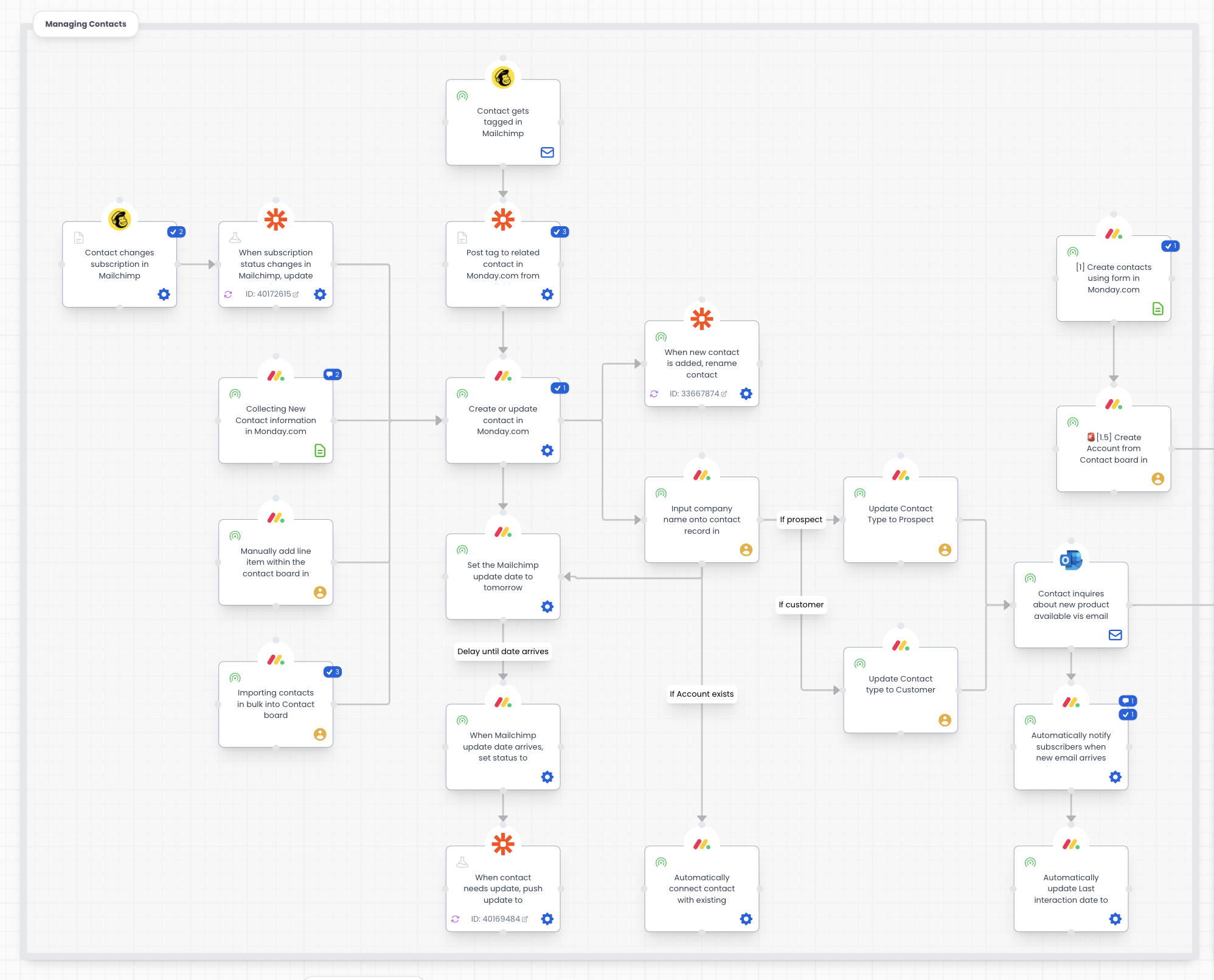
Most teams keep the diagram in one tool and the written detail in another, and the two drift apart. Puzzle holds both: a visual workflow with the notes, videos, and data attached to each step.








See the integration in action
Click through the interactive demo.
Put the detail where the work happens
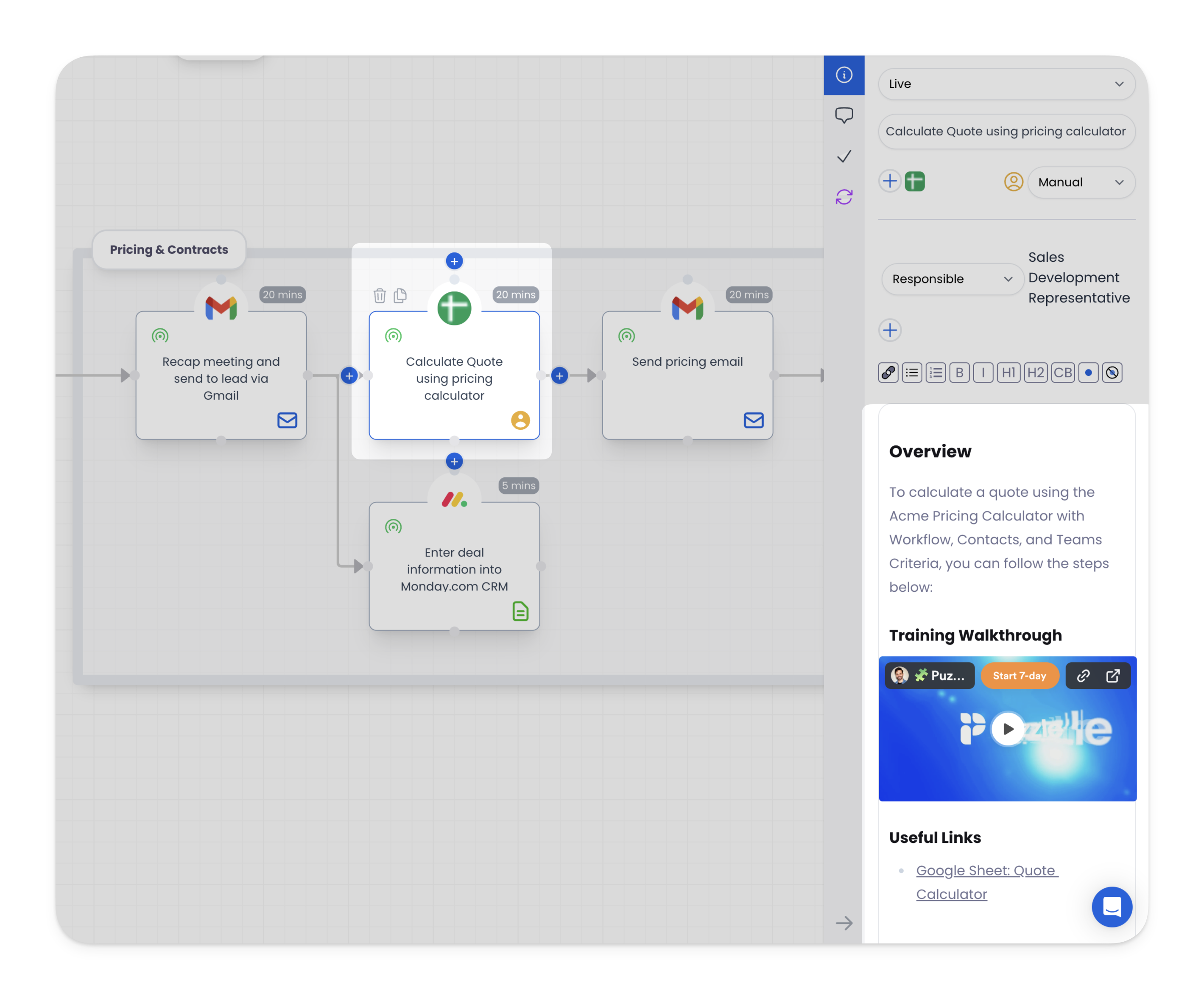
Attach notes, Loom videos, links, and data directly to a step instead of a separate document. When someone opens that step, they get the instructions and the reasoning behind them in the same place.
Stop switching between tools
Scoping, building, and tracking a process usually spans a diagramming tool, a wiki, and a spreadsheet. Puzzle keeps the map and the documentation in one workspace, so there is one version to read and one version to update.
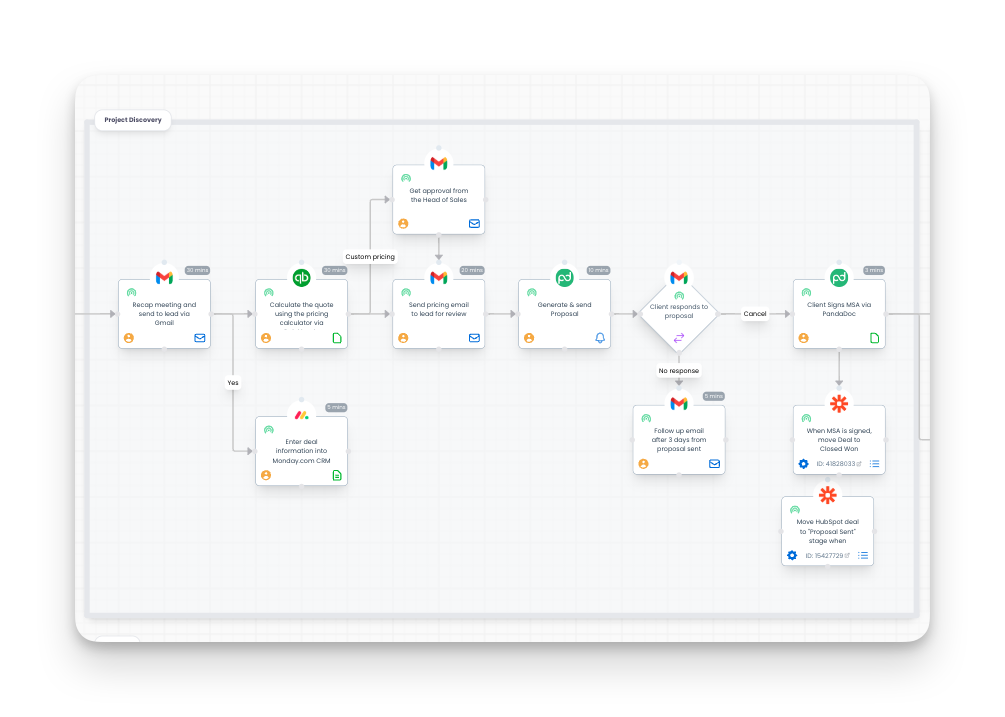
Keep the whole team on the same page
Whether you are scoping an automation or fine-tuning an existing workflow, every detail stays captured against the step it belongs to. Anyone on the team can open the process and see who does what, and in what order.

Frequently asked questions
How the integration works and what data moves between systems.
Yes. Every step on a Puzzle workflow has its own documentation panel, so the written detail lives on the step it describes instead of in a separate document.
Notes, embed video walkthroughs, links, and data can all be attached directly to a step. That puts the training material next to the instruction it belongs to, rather than in a folder someone has to go find.
Both work. Teams use the same workflow to scope and build a process, then keep it as the living documentation once that process is running.
See your whole operation on one canvas
Map your first workflow today. Free to start, no credit card needed.