




Effortlessly diagram Make scenarios in a visual canvas
Automatically create synced visual documentation for your Make Scenarios in less than 1-minute, so your team gets a clear picture of how your automations work within human-in-the-loop processes.









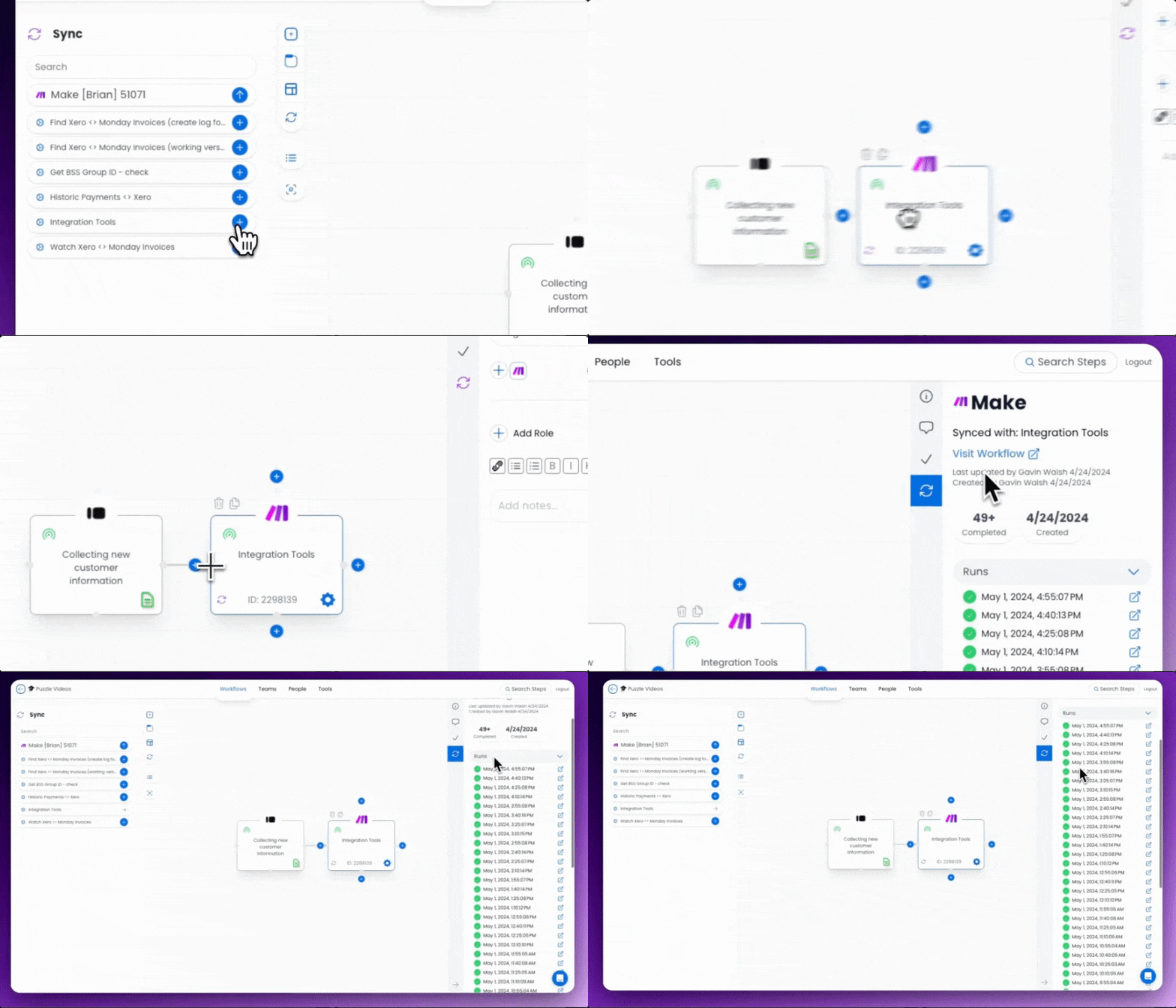
See the integration in action
Click through the interactive demo.
Create beautiful synced diagrams with your scenarios
Automatically generate beautiful and easy-to-understand flowcharts directly from your Make instance. With just a few clicks, you’ll have a clear visualization of your Scenarios.

See exactly how scenarios work with other systems
Easily identify where errors are occurring in your workflow, saving you valuable time and frustration. With a complete picture of your system, you can confidently modify your automations without fear of breaking something.
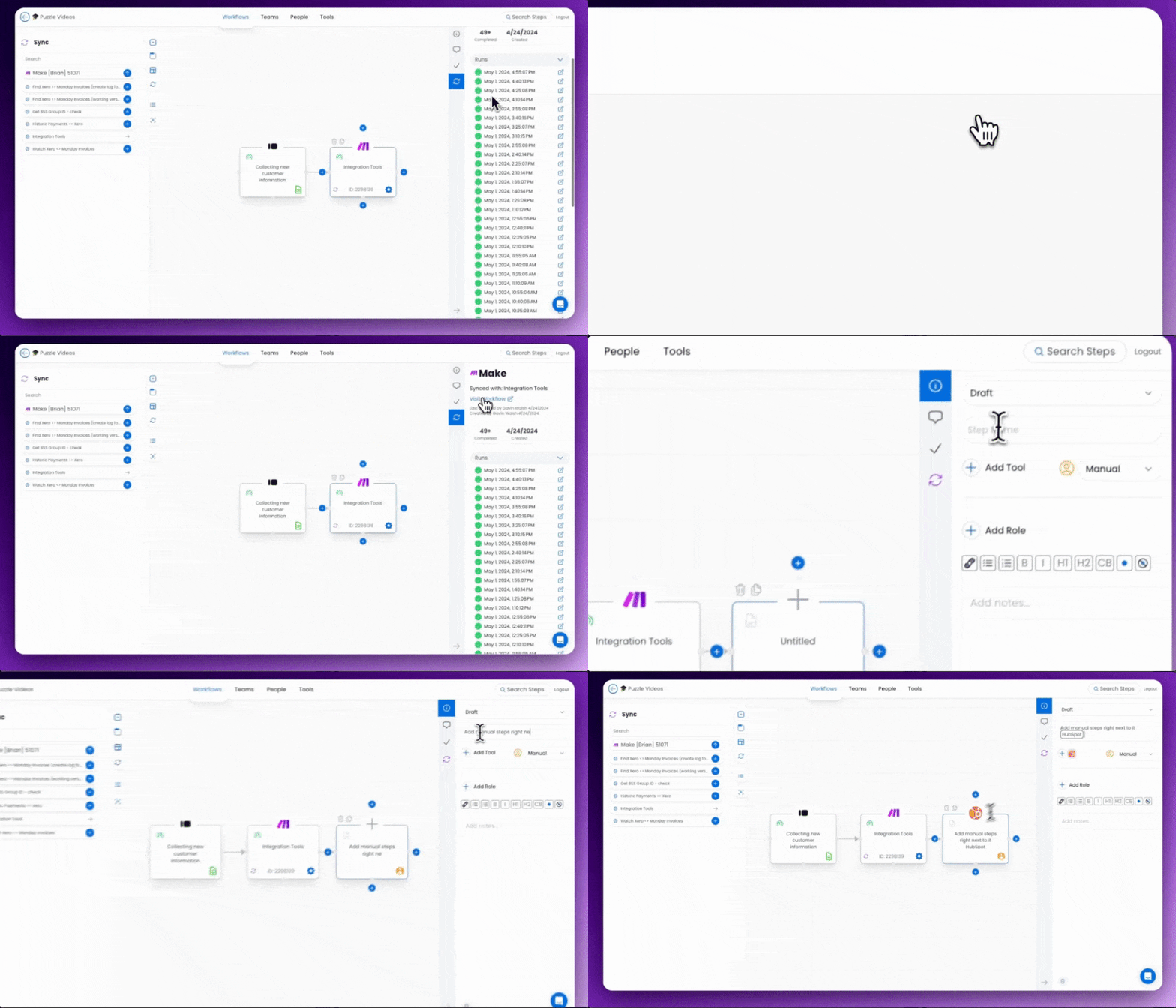
Work with your team to optimize your workflows
Share your beautifully crafted workflows with your team to ensure everyone's on the same page. No more manually building diagrams in separate tools. Puzzle does the heavy lifting for you.
Frequently asked questions
How the integration works and what data moves between systems.
The Puzzle integration pulls all your Make Scenarios in a given Team, and automatically create each Scenario as a step within the Puzzle workflow canvas.
It takes less than 1 minute to setup, and you'll have every scenario created as steps in the canvas.
No — our integration will create one step to represent the entire Scenario. If you need to access the underlying actions within the Scenario, you'll use the deep-link within the step's sidebar that brings you directly into Make.
See your whole operation on one canvas
Map your first workflow today. Free to start, no credit card needed.