



Visualize how your HubSpot CRM works with nearly no effort
Automatically create synced visual documentation for your HubSpot CRM in minutes, so your team gets a clear picture of how your forms, workflows, and sequences work across the system.










See the integration in action
Click through the interactive demo.
Create beautiful synced flowcharts in just a few clicks
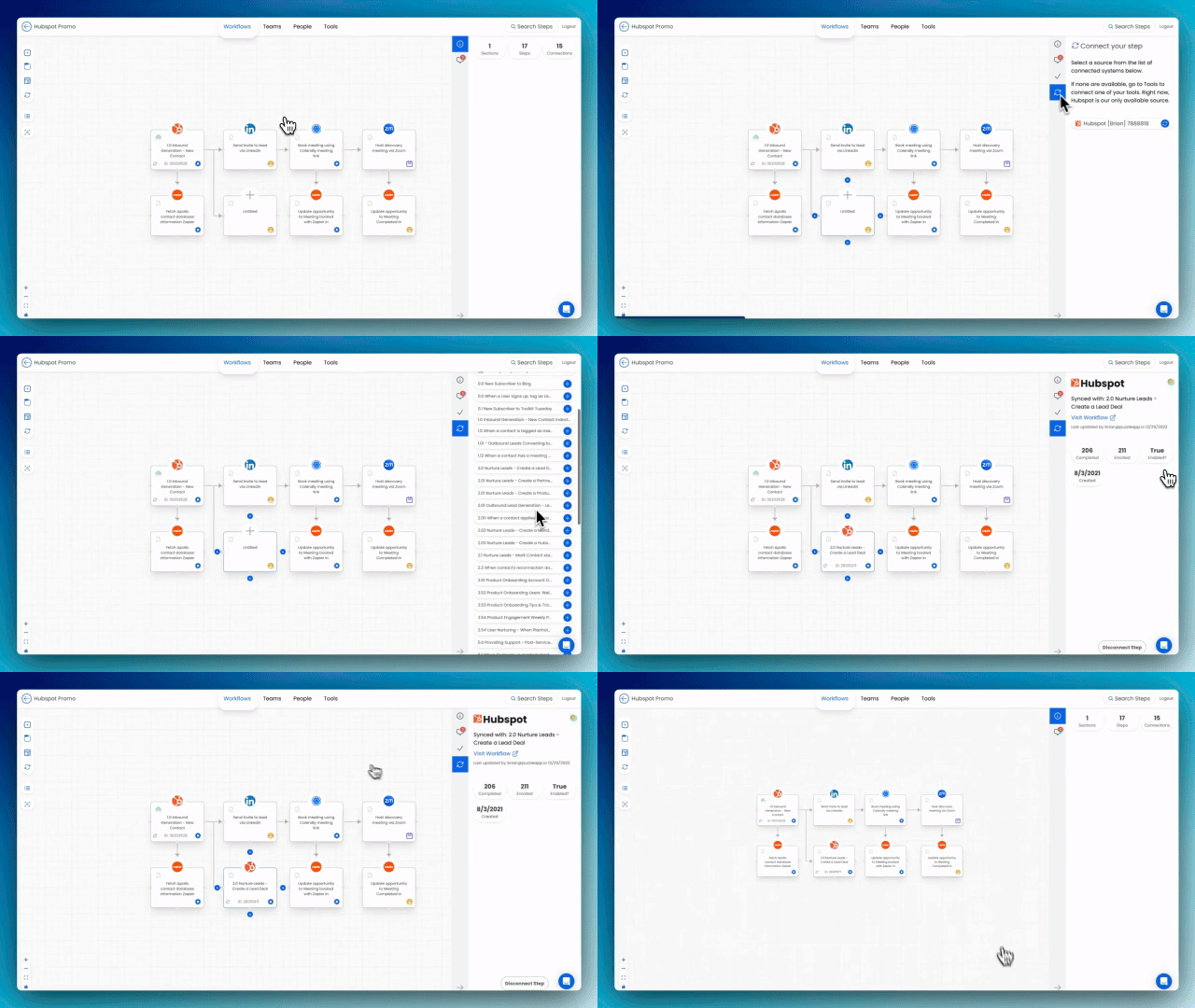
Automatically generate beautiful and easy-to-understand flowcharts directly from your HubSpot instance. No need for lengthy documentation or manual updates. Just a few clicks, and you'll have a clear visualization of your CRM setup.
Never lose sight of system changes & updates again
Forget manual updates! Puzzle syncs with HubSpot to automatically reflect workflow and form additions that exist in HubSpot, but haven't been mapped yet, ensuring your documentation remains accurate.

Feel confident to improve your HubSpot system
With Puzzle, you gain complete confidence in your HubSpot setup. You can easily identify areas for improvement, optimize workflows, and unlock the full potential of your CRM
Frequently asked questions
How the integration works and what data moves between systems.
The integration with Hubspot pulls all your Workflows — Contact, Company, Deal, Ticket and Custom Object workflows — and all HubSpot Forms then automatically creates each Workflow and Form as a step within the Puzzle workflow canvas.
Within a step synced with a Form, you'll see the HubSpot fields within the form as well as up to 50 past form submissions.
Within a step synced with a Workflow, you'll see a deep link to the HubSpot workflow, as well as high-level enrollment data, including whether the workflow is enabled or not.
The integration takes less than 1 minute to setup, and you'll have every step pre-built to start creating your flowchart.
No — our integration will create one step to represent the entire Workflow. If you need to access the underlying actions within the Workflow, you'll use the deep-link within the step's sidebar that brings you directly into HubSpot.
See your whole operation on one canvas
Map your first workflow today. Free to start, no credit card needed.