




The visual operations blueprint your teams and AI run on
Map your workflows, teams, tools, and data into one connected picture, clear enough to make your biggest decisions.
Get started







THE REALITY
Your business is a complex system living in your head.
Almost none of it is visible to your teams. It's always been a liability. With AI, it's an existential one.
Most documentation
leaves you in the dark
Your operation is running right now on diagrams nobody trusts, wikis nobody understands, at a cost nobody has counted.
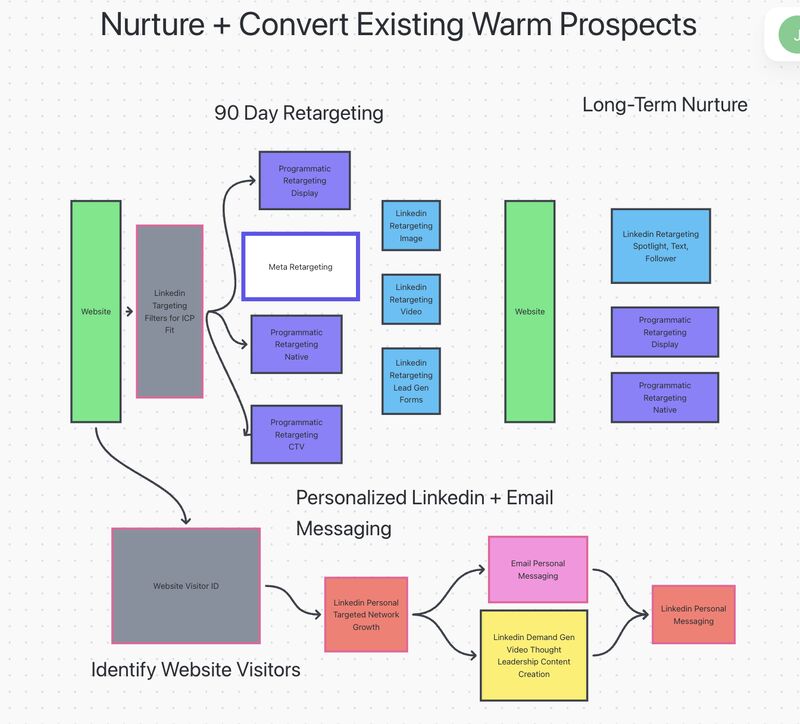
Diagrams are all picture, no depth.
No owners, tools, or data behind the boxes
Painful to connect flows across teams
Quickly outdated, with no way to tell
No cost analysis on any step
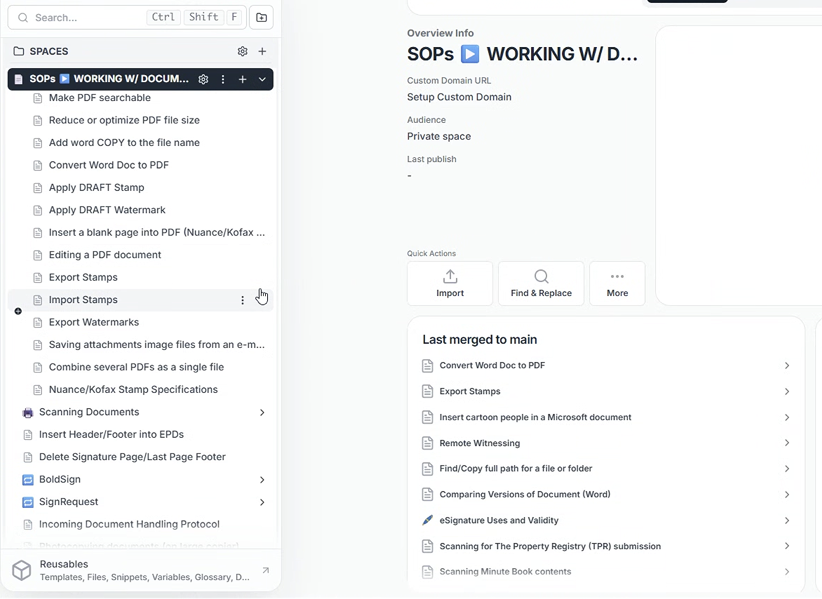
Wikis are all depth, no picture.
Detail without the big picture
Handoffs between teams are invisible
No role owner attached to any step
Stale sections hide in long documents
Bring light to how
your organization works
The next time someone asks how something works you open one map and get every answer you're looking for.

One connected blueprint of
your whole operation
Every step carries its owner, role, and tool
Handoffs between teams are visible on one canvas
Trace any data field across your workflows
See what every step, process, and tool costs to run
Every step opens into SOP-level depth
Record every decision in a changelog
Sync with n8n, Zapier, Make, and HubSpot
Click anything and see everything it touches
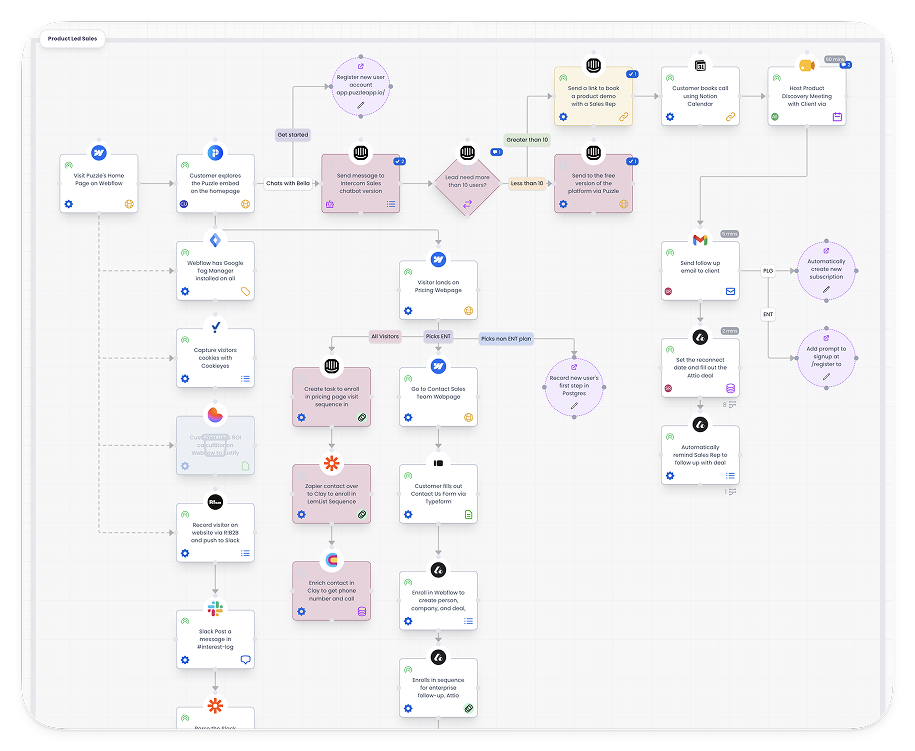
This is decision-grade documentation.
The path to operational clarity

Map how everything connects
Start with what you already have. Nova drafts the first map from your docs, screenshots, and transcripts.

Share it with the people running the work
Everyone sees where they fit, so onboarding, handoffs, and cross-team decisions stop routing through you.

Find what to improve, and show ROI
Steps carry time, frequency, and cost. The expensive parts surface fast, and improvements show impact.

Put the whole picture to work with AI
Connect it to Claude, ChatGPT, or any agent through MCP. Everything you mapped becomes their context.

Designed for modern teams
Watch short walkthroughs of every canvas, so your team ramps up without a meeting.
Built for the AI era of operations
Your blueprint is structured, connected data, which means AI can finally work with your operations. Nova AI helps you build it, Puzzle MCP serves it to every agent you run, and if you'd rather use your own AI account, bring your own key.
Nova AI builds the blueprint with you
Feed Nova your existing docs, screenshots, transcripts, and CSVs. It drafts workflows, teams, and tools, and you refine them on the canvas.
Puzzle MCP serves it to every agent you run
Ask operational questions, plan changes, draft SOPs. The answers come back grounded in how your business runs, because the agent can read your blueprint.
Bring your own key
Prefer to run Nova on your own account? Connect your API key from Anthropic, OpenAI, or Google and use Nova with it. You control the model, the usage, and the bill.
Trusted by system builders
“Absolutely love Puzzle's ability to be an impossible tool to work without. If you're a visual systems person who needs every step in each workflow and project mapped out, you have to give Puzzle a chance. You won't regret it.”
See more“Puzzle became our go-to tool whenever we need to map out our processes. We completely stopped using Whimsical, Miro, and Figma.”
See more
“I was looking for a bird's eye view, a top level view of how all of my processes are connected. I found Puzzle, and this is the tool I've been looking for. That's when the light clicked for me.”
See more
“I knew I would never again use Lucidchart, Whimsical, or Miro for mapping processes. It was like finally having shoes that fit. It helps us show clients what we are building for them, and we easily identify gaps before implementation.”
See more“We tried every visual workflow software out there, from Lucidchart to Whimsical to Miro, and ultimately went with Puzzle. Their support is bar none the best. You'll know you're always in good hands.”
See more
“Puzzle is next level. I work in systems and automation and Puzzle brings so much clarity to not only my clients' businesses but my own as well. Anyone wanting systems clarity needs to try Puzzle.”
See more
Connects to the tools you already run on


Your operation, finally in one picture
Map your first workflow today. Free to start, no credit card needed.